
• 7 min read
How Do I Type? A Beginner's Guide to Typing on a Keyboard
How do I type on a keyboard? Where to put your hands, which finger presses each key, how to type capitals, numbers and symbols, and how to get faster, step by step.
The AI-adaptive touch typing course for schools, families, professionals, and businesses. Free speed test, no sign-up needed.
Done! That’s your speed. Keep going for free with the course, the full test or the exercises.
Nothing to install. The test, the exercises and the games don’t even need an account.
Measure your words per minute and accuracy in 1, 3 or 5 minutes. Free, no sign-up.
Take the testFive progressive sets, from the home row (ASDF JKL;) to numbers and common words. Free, no sign-up.
Start practicingFinger placement plus the first seven levels of the course, with a free account. No card needed.
See the free courseA race for the whole class on the projector and Survival Royale. No sign-up.
See the gamesAdvanced tools powered by AI and tailored to your level.
While you learn a key, the exercises keep coming back to it. Texts use only the keys already learned, reviewed and filtered, and in reviews on AI plans they focus on the letters you miss most.
Start by putting your hands in place on your own keyboard: one key at a time, with a voice guiding you and each finger in its own colour.
Earn badges, complete daily streaks, and compete in leagues while dramatically improving your typing speed.
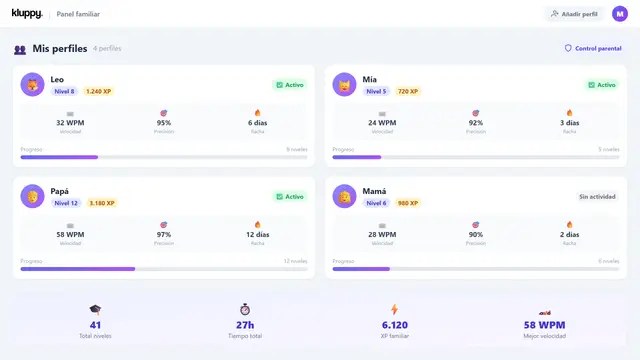
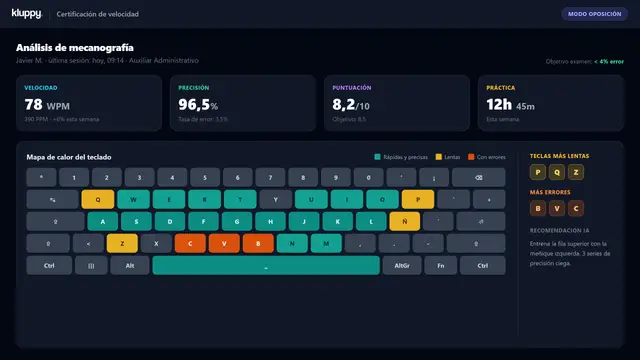
Track your progress with metrics on WPM, accuracy rate, and millisecond-level response time per key.
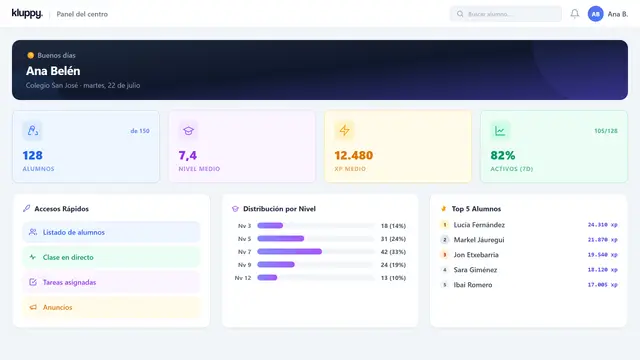
Teachers can manage classes, monitor student progress, and assign activities from a unified dashboard.
A safe environment for students. We strictly protect children's privacy and comply with regulations.
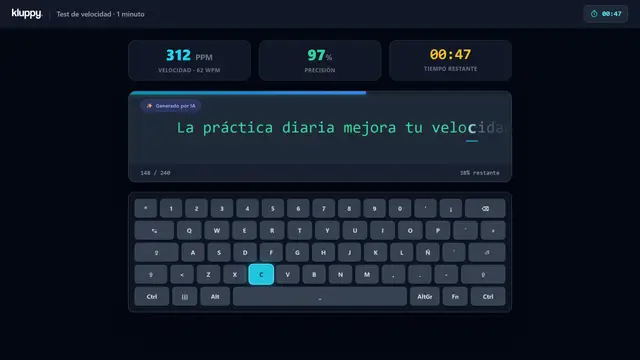
Take a quick 1-minute test without signing up. Measure your WPM and accuracy rate.
Our adaptive learning tools conform to each user's goals.
Designed to fit technology classes or after-school activities. Centralized management and progress tracking for every student; assessment is signed off by teachers.
Our progressive methodology is designed to guide you from beginner to expert naturally.
Assess your baseline WPM with a short test to establish your starting point.
On your own keyboard, one key at a time: F and J, each finger on its key and a first word. A voice guides you and the camera is optional.
While you learn a key, the exercises keep coming back to it, and the screen shows which finger presses each key. You move up with accuracy, not speed.
Collect daily badges, advance on the level map, and compete in weekly PvP leagues to stay highly motivated.
Choose the plan that fits your needs. No lock-in, cancel anytime.
Are you in Spain? Prices for Spain are in euros. Ver precios en euros
Looks like you're in the UK. See UK prices in pounds
Family prices in US dollars are for the United States. Outside the US, checkout shows the price for your country before you pay.
Start improving your typing today. No strings attached.
Everything in Free +
The full curriculum unlocked to master the keyboard.
$4.08/mo · billed annually
Everything in Lite +
The complete experience with AI, online duels and competition.
$6.58/mo · billed annually
Every school plan includes the teacher panel, per-student reports and class import from Google Classroom/Workspace or Microsoft 365 Education.
For small groups (up to 25 students). Min. 5 licenses.
$11.29/student. One pack per classroom.
For elementary schools with 5 or more classrooms.
For middle schools, high schools and large campuses.
School prices exclude applicable sales tax.
A district or 3+ schools? 5% off. Contact us
Want to try it? 30 days free - 25 students - no commitment
Request free demoTouch typing tips, strategies, and updates on digital education.
How do I type on a keyboard? Where to put your hands, which finger presses each key, how to type capitals, numbers and symbols, and how to get faster, step by step.
A ten-day plan for the Christmas holidays: ten minutes of typing a day, games, and writing letters to Santa or the Three Wise Men. Free.
Festive typing activities for the last weeks of the autumn term: a class typing race on the projector, Christmas texts to type, a twelve-day warm-up and a simple plan to keep keyboard skills going over the holidays.
Touch typing means typing with all ten fingers without looking at the keyboard. Each finger has its own keys and always returns to the home row: ASDF for the left hand and JKL; for the right, with the index fingers on F and J, the two keys with a small raised bump.
You learn it in stages: first finger placement and the home row, then the top and bottom rows, and finally numbers and symbols. Accuracy comes before speed; with short daily practice, speed follows.
To get started, try the guide to positioning your fingers on the keyboard, the row-by-row exercises and the typing speed test, all free.
Yes. On Kluppy the speed test and the exercises are free with no sign-up, and a free account gives you finger placement plus the first seven levels of the course, no card needed.
A little every day beats a lot at once: ten minutes a day is worth more than one long session. What matters is not looking at the keyboard, even if you are slow at first.
Up to 30 words per minute (WPM) is beginner level, 30 to 50 is intermediate, 50 to 70 is fluent and over 70 is professional. You can measure yours with the free test.
Yes. Kluppy is designed for children from age 6 as well as adults, and teachers get a dashboard to create classes, assign activities and track each student’s progress.
Join thousands of students and professionals learning touch typing the smart, gamified way.