
Learn Touch Typing Online
How to learn touch typing online fast
When you see someone typing on a keyboard quickly and agilely, you are eaten up with envy. Healthy envy. You think that you too could have dedicated a little more time that time you started with that online typing course they recommended to you.
But it is never too late if the outcome is good. And even less so if your desire is to learn to type from home.

But you have to dedicate time to it. And you never find that gap. At KLUPPY we usually estimate basic touch typing learning at about 20-25 hours of practice. Our students usually acquire a good foundation as long as they maintain consistency in practice.
To get that effective practice time, it is usually necessary to invest more hours; we estimate that it is usually about 30 or 40 hours. You can divide these 30-40 hours into 4 sessions of 30 minutes for 20 weeks or, if you prefer, you can do intensive sessions of 90 minutes daily for 20 days. Intensive sessions, for those who want to see it that way, can be similar to getting your driver's license theory test.
At what age to learn touch typing online
Any age can be good to learn touch typing online. At KLUPPY we have experience with students ranging from 7-8 years old to beyond 70!

We consider that learning touch typing can be a skill like swimming or riding a bicycle. The sooner we learn the better, since we will do the course once and over time we will acquire speed.
While it is true that the sooner we learn touch typing the better, we know that a child's motor skills advance by leaps and bounds as the years go by. Therefore, we recommend teaching touch typing to ages between 8 and 13 years old.
At that age they have their first approaches to generating written content, so it is interesting to accompany that process with a new skill like touch typing.
What are the best programs to learn touch typing online
It is difficult to say which are the best online touch typing programs. There are many online and the variety is wide. But we are not going to leave you in doubt. In our opinion, KLUPPY is the best online touch typing program. And not because it is ours or because we say so.
The data supports us. More than 100 schools have trusted us and in 5 years more than 15,000 students have passed through our platform.
How do you get this data in such a short time? By innovating. We have turned classic touch typing inside out. We have put a powerful tool in the hands of the youngest. Easy to use, entertaining, and with multiplayer. No instructions, short videos, and fluid exercises. It is trilingual and allows learning languages.
It is adaptive and students notice it. Not everyone has the same level or skill, so for us it is unthinkable to demand the same results from two different people.
In addition, we allow tracking each student in an efficient and fast way, which allows teachers (or parents) to know how much each student practices and if the time is being put to good use.
And as if that were not enough, it is a robust system accessible 24 hours a day from anywhere.
For these reasons, so many schools trust us.
Basic touch typing exercises
Really, almost any text can be useful for learning touch typing. You could grab any text from your favorite book or a clipping from any magazine you have around the house. If you prefer, you can use any PDF you have in downloads.
I imagine you want to know where to start learning touch typing from scratch, so we leave you here a few texts that you can use to start:
jf jf jf jf jf jf jf jf jf jf jf
kd kd kd kd kd kd kd kd kd
jfkd jfkd jfkd jfkd jfdk
ls ls ls ls ls ls ls ls ls
ña ña ña ña ña ña ña ña
lsña lsña lsña lsña lsña
añada la sal a la lasaña
As you can see, in a few lines you have practically reviewed the home row of the keyboard. In our course we perform more key combinations. In addition, we require a minimum speed and a maximum error rate for each student. And all in a personalized way.
Are you looking for a free touch typing course for kids?
We have always been told that "when something is free, you are the product." Surely if you find a free remote touch typing program it will be full of advertising or you will have to give them your email so they can fill your inbox.
KLUPPY is a Premium touch typing program, so it has a cost. We have rates accessible to all budgets and group discounts. You can start learning digital writing from just €9.99/month per user, but if several of you get together it will be even cheaper.
If you dedicate enough time to it, in just one month you can acquire the skill, so it will come at a really affordable price.
I want to do a quick touch typing test
You have the option to look for one on the internet or do it in a simple way. Grab your phone. Set a one-minute countdown. Now go to Wikipedia and choose a text you have at hand.
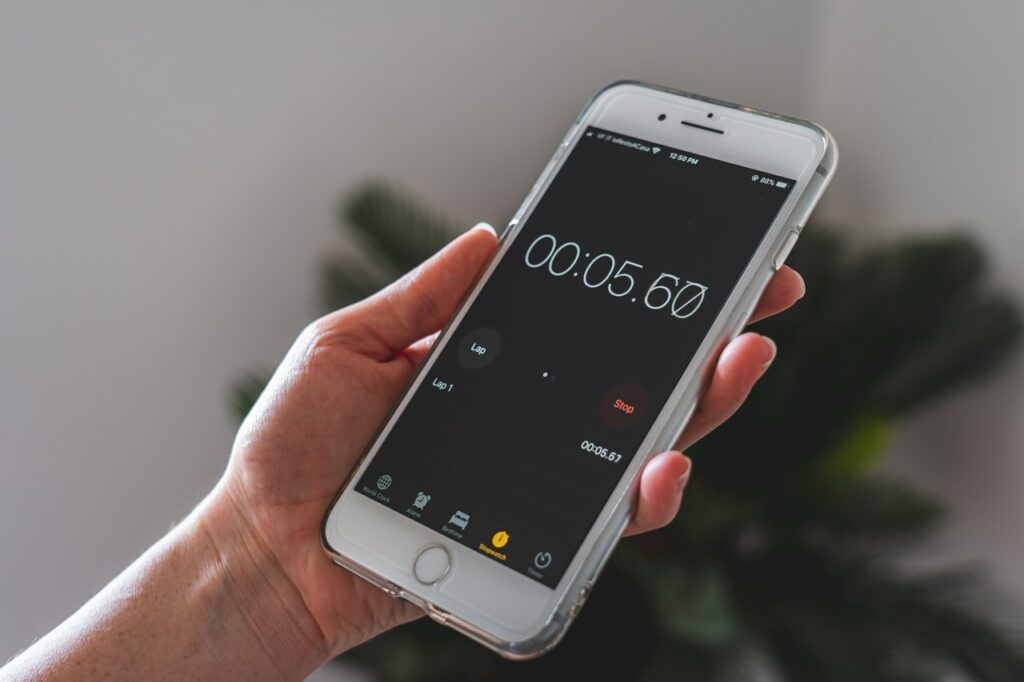
Start the stopwatch on your phone and start typing the text on the computer. When the minute is up, stop writing. Now it is your turn to count how many characters (also count spaces and punctuation marks) you have written. That is your speed in keystrokes per minute.
If you prefer, prepare a longer text and instead of one minute, time 3 or 5 minutes. At the end of the time, count again and divide. It will give you a much more realistic figure of your writing speed. After all, speed is useful when writing long texts.
If the speed is low, you should consider a good remote touch typing course and dedicate some time to acquiring the knowledge.
Learn to type fast with a keyboard
It is the desire we all have when we sit in front of a computer for the first time: to type fast on the computer keyboard. Do not despair. It is not that difficult, you will only need a little time.
If you want to achieve 300 keystrokes per minute, first you must learn to execute the basic touch typing exercises. Once you master them, we will gradually add more and more characters. Over time, when you have fluency, you will see that you are acquiring more and more speed.
A recommendation: Do not fool yourself and use "your own style." To get 300 or more keystrokes per minute you must use all 10 fingers of your hand correctly. Whenever you try, prioritize writing well over writing fast. Speed will be a consequence of a good writing technique.
Do you want to prepare for competitive exams?
Although our interface may seem focused on children's ages, the texts we use in KLUPPY to teach touch typing are fully valid for anyone.
Dedication and consistency. There is not much more mystery to touch typing. If you dedicate the necessary time, you will be able to achieve optimal speeds and very low error rates over time.
Tips for learning touch typing
The first thing you should do to learn touch typing is to find a quiet place, where no one is going to disturb you. If possible, let it be a silent place. If you are one of those who needs music, put on something relaxed and quiet, and preferably without lyrics.
It is important to avoid distractions since we will have to perform several actions at the same time: read, think, and write. The goal of a touch typing course is to avoid the second of the actions, thinking. We must make writing completely intuitive, so that we do not have to think about where the keys are every time we are going to press them.
Once we have this clear, we recommend that you do not look at the keyboard while writing. It is very tempting, but in the long run it will be detrimental to learning. If you can, try to cover the keyboard.
There are various ways to cover it. You can grab a cloth and put it over your hands while writing, or put a box in which you put your hands and avoid seeing your hands... Although our favorite is to plug an extra keyboard into the computer and cover the keys with colored stickers. They look super cool and no matter how much you look at the keyboard you won't see the letters.
A touch typing course for kids
We consider KLUPPY to be the best writing course you can offer a child. KLUPPY was born by and for children. They have always been at the center of our ideas when developing and we have taken note of what they tell us.
We have gamified touch typing, so they don't get bored, so they have a good time, and so the hours they dedicate to it are useful.
We know that long videos bore them, that's why the videos are direct, without beating around the bush, and clearly explaining what to do and how to do it.
Nor do we want to overwhelm parents and teachers. Let KLUPPY take care of everything. It will adapt the levels, and decide when the student is ready to move to the next level.
It is simple, it is fast. It is KLUPPY